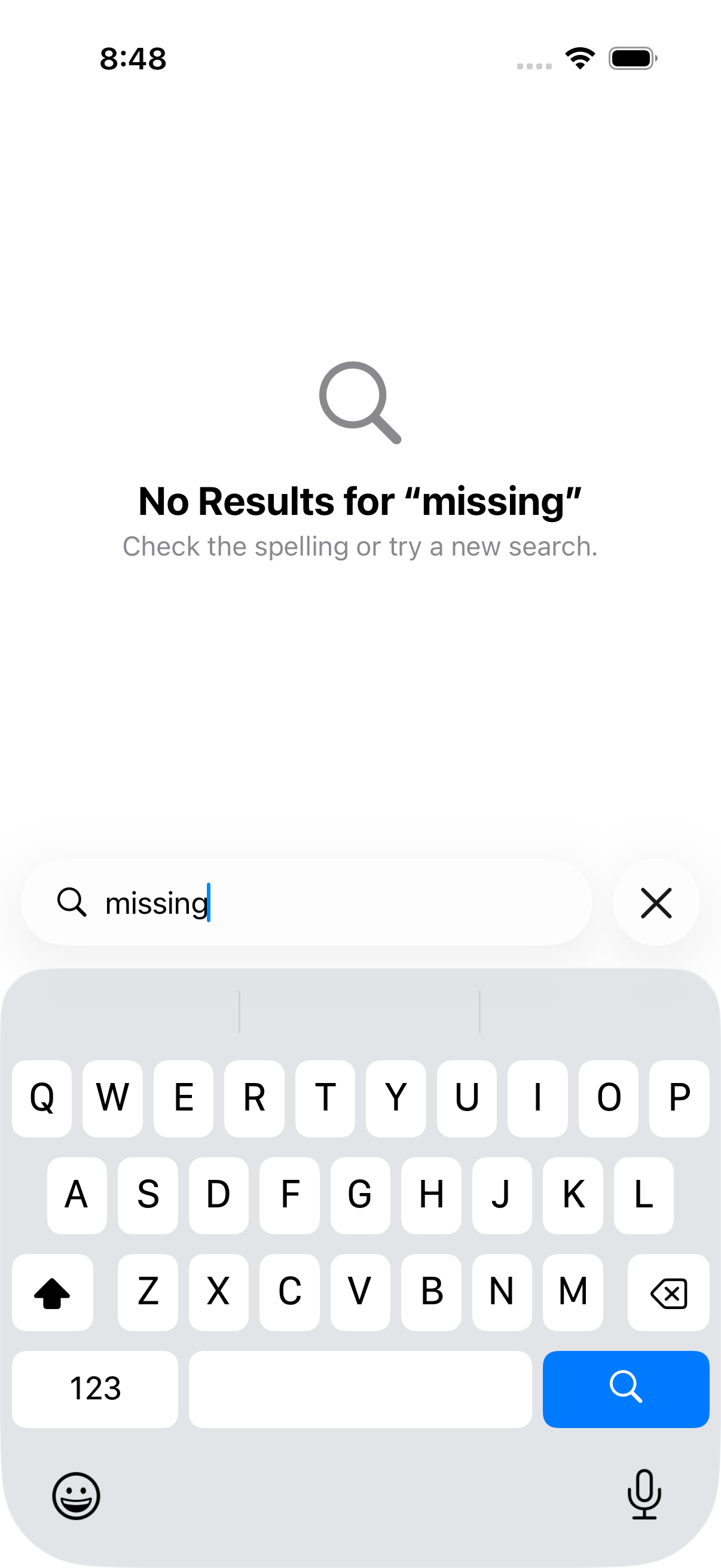
An empty library and an empty search result need different explanations. The first invites creation; the second preserves the collection while helping the user recover from a query.
- 1Stored collection
- 2Search query
- 3Filtered result
- 4Clear to recover
Work through the example
Add a known item, search for a missing title, clear the query and verify that the item returns. Check the labels separately from appearance.
Start with a disposable branch and synthetic data. Write the expected outcome before changing the implementation, then keep the first failing result. This prevents a later repair from quietly redefining the task. The procedure below is grounded in the repository reference; its examples must still be checked against your project and installed toolchain.
Implementation reference
The following focused section is adapted from the maintained project guide. It preserves the source’s examples and limitations.
@State
Owns mutable state local to a view. SwiftUI manages storage; the view re-renders when the value changes.
struct CounterView: View {
    @State private var count = 0
    @State private var items: [String] = []

    var body: some View {
        VStack {
            Text("Count: \(count)")
            Button("Increment") { count += 1 }
            Button("Add Item") { items.append("Item \(items.count)") }
        }
    }
}
Rules:
- Always mark @State properties private.
- Do not initialize @State from an initializer parameter when the view may be recreated -- use @Binding or a model instead.
- Works with value types (structs, enums, primitives) and, on iOS 17+, with @Observable classes.
Acceptance and failure review
| Checkpoint | What to inspect | If it does not match |
|---|---|---|
| Stored collection | Confirm the input and environment | Preserve the failure and return to this step |
| Search query | Inspect the intermediate artifact | Preserve the failure and return to this step |
| Filtered result | Run the focused check | Preserve the failure and return to this step |
| Clear to recover | Record the observed result | Preserve the failure and return to this step |
Ask the agent to explain the smallest change that resolves the observed mismatch. Keep unrelated refactors out of the repair. A change that makes a warning disappear is not enough if the behavior or ownership contract has changed. Re-run the same acceptance check so the before and after results are comparable.
Evidence and limits
Reading List contains corresponding checks; a full accessibility audit is a separate task.
This is an educational guide. Its presence in the series does not certify a completed client-specific lab. The series evidence record separates executed checks from exercises and blocked environments.
Inspect the source used in this lesson.
Recorded sample check
On Xcode 26.6 with an iOS 26.5 simulator, the Reading List verification script passed 3 unit tests and 2 UI tests. It exported six screenshots. This image is one of those outputs, not an AI-generated mockup. The sample uses JSON persistence and does not establish all-client app generation or a complete accessibility audit.
Related reading
- SwiftUI: review state transitions before polishing the screen
Make loading, empty, success and error states part of the implementation brief.
- Five checks for an AI-built SwiftUI app
Use persistence, search and accessible states to make “it works” a testable claim.
What to do next
Next: Networking and Codable with an agent: the concurrency mistakes to catch